Why tracking breaks first as brands scale
At 5 campaigns, tagging discipline feels optional. One person builds every link, remembers what each name meant, and the report reads fine. Memory covers whatever the naming does not.
At 50 campaigns it collapses. Three people tag links across Meta, TikTok, Google, and email, each inventing names inside an ads manager at 11pm. Nothing stops them, because UTM values are not registered anywhere. They are plain text you make up, and every typo becomes a permanent row in your analytics.
The failure is silent. No error fires when one buyer types Facebook and another types facebook. GA4 accepts both, files them as separate sources, and the traffic report splits. Totals drift away from what the platform shows, and someone inherits a cleanup spreadsheet, rewriting history one row at a time.
So the fix is boring on purpose: a written naming convention plus a builder that enforces it. One page everyone copies from beats whatever each buyer remembers. Freestyle tagging survives neither headcount nor volume, and it fails exactly when the data starts to matter.
The five parameters, briefly
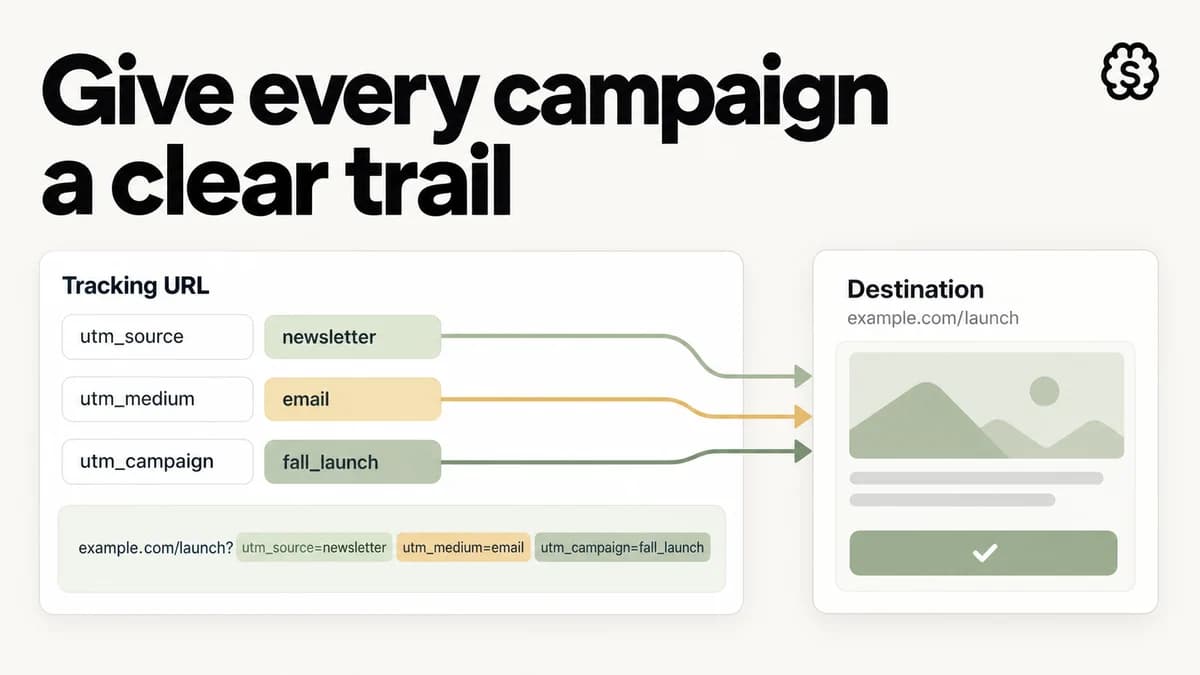
A tagged link carries up to five query parameters: utm_source, utm_medium, utm_campaign, utm_term, and utm_content, appended to the URL the ad points at. Source records the platform, medium the traffic type, campaign the push, term the audience or keyword, and content the creative.
GA4 hangs its reporting on the first pair. Source and medium decide which row the traffic lands on and which channel it groups into, so they carry the account-level story. Campaign, term, and content are the drill-downs a scaling team actually argues about.
This guide will not re-teach the mechanics. The UTM builder covers the URL anatomy, a worked example, and the naming reference table. Its FAQ handles the edge cases, from required parameters and casing to utm_id, Meta's dynamic parameters, and (not set). Build every link there, because it normalizes values before they ship. What follows is the part no tool can enforce: several people, several platforms, one vocabulary.
A taxonomy that survives 50 campaigns
The parameter jobs and example values sit in the reference table on the UTM builder page, and that table is worth bookmarking. What a table cannot do is keep three buyers aligned for a year. That takes governance, which at this scale means a one-page doc with a named owner.
The doc fixes a single spelling for every source platform. It freezes the medium vocabulary at a handful of values, because GA4's channel grouping matches on medium and every stray value risks the wrong bucket. And it shows one finished link per platform, so buyers copy a known-good example instead of improvising.
Then add change control. New campaign names are routine, but a new source or medium value is a change request the owner signs off before it ships in a link. Anything absent from the doc is a typo by definition, even when it looks plausible. That single rule turns drift from a debate into a diff.
Platform quirks come next. Meta can fill values at delivery time with dynamic parameters, and the builder's FAQ covers when that beats hand-tagging. Email sends and influencer links stay manual forever, which makes them the standing drift risk worth extra review. New buyers and agencies get the doc before they get ad account access.
Last, migration. When the taxonomy arrives mid-history, resist rewriting old rows to match it. Pick a cutover date, record it in the doc, and compare the periods on either side separately. Clean data forward beats heroic repair of the past.
The monthly tag audit
The builder page lists the classic tagging mistakes and prevents most of them at link-build time. Scaled accounts need the complement: a recurring pass through GA4 that catches whatever leaked past the tooling. Six checks cover it.
Scan sources for casing twins. Sort the source dimension alphabetically and look for entries that differ only in capitalization. GA4 files each spelling on its own row, quietly splitting one campaign's totals. Fix the live links and leave history alone.
Search values for %20 and stray punctuation. Encoded spaces mean a link was built by hand and never normalized. Those rows will never merge with their hyphenated equivalents.
Watch the (not set) share. When it climbs, something between click and landing page is eating the query string, or a report reads a dimension your links never populate. The builder's FAQ walks through both diagnoses.
Hunt for tagged self-referrals. Sessions sourced from your own domain usually mean someone tagged an internal link, which restarts attribution mid-visit and hides the real origin. Reserve UTMs for external traffic.
Flag launches reporting as one row. If a spread of creatives shows up as a single line, utm_content went out empty. The spend bought a test matrix and the empty parameter returned one average. Refill content names and the per-creative comparison comes back.
Spot-check live URLs for doubled tags. A link carrying two full sets of utm_ pairs was re-tagged by appending. Replace the old set; the builder does that automatically when you paste an already tagged URL.
Reading tagged traffic honestly
Clean tags earn you two honest reads: one per creative, one for the whole account.
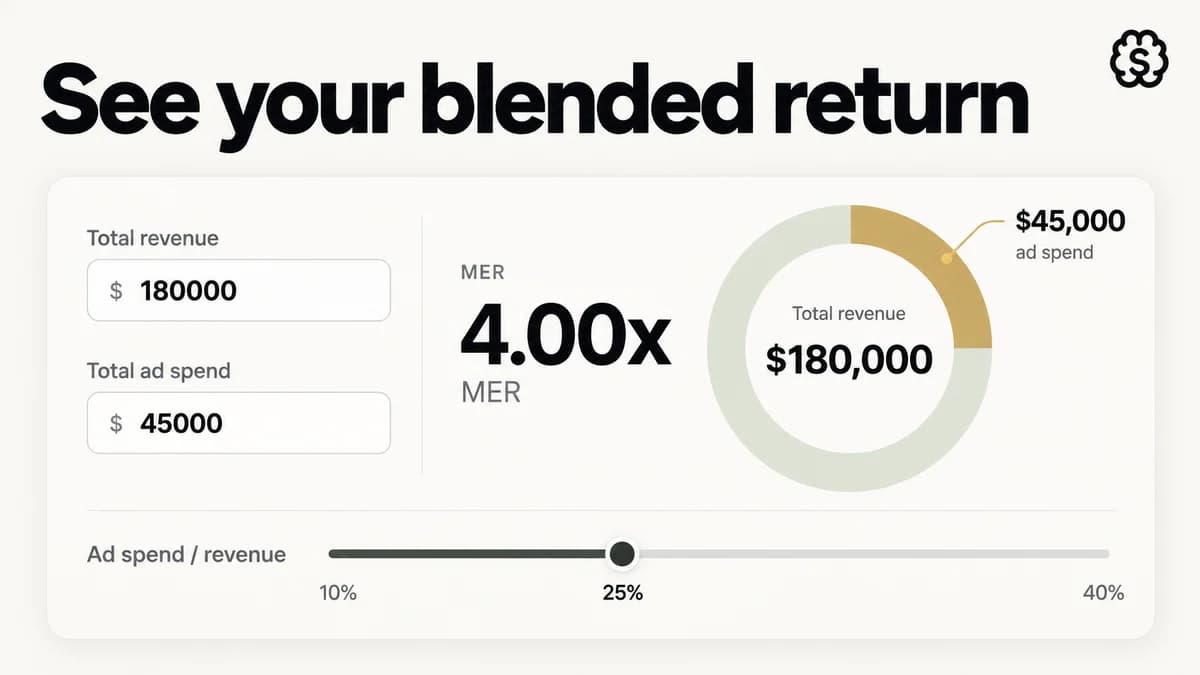
MER = Total revenue ÷ Total ad spend
Start per creative. Because utm_content carries a real name, every creative keeps its own analytics row, and per-creative clicks stay separable on your side of the fence. Do the math on link clicks, the clicks that leave the platform for your site. Meta's CTR (all) folds in on-platform interactions like reactions and comment expands, so it often reads two to three times higher than link CTR on the same ad. At a 1.5% link CTR, every 10,000 impressions hand you 150 clicks. For context, DTC prospecting on Meta usually sits between 0.9% and 1.8% link CTR, with 2% marking strong creative. Weigh a campaign against its own history first, then run the numbers in the CTR calculator.
At the account level, in-platform ROAS tells each channel's version of events, and MER checks that story against the books. Platforms attribute revenue inside their own windows, and the windows are not exclusive. Sum the per-channel claims in a multi-channel account and the total often beats what the store banked. MER skips the argument: total revenue over total ad spend, both from your own records. A month that books $180,000 on $45,000 of total spend runs a 4.00 MER, meaning 25% of revenue went to ads. The MER calculator runs both forms. When in-platform numbers climb for a couple of weeks while MER stays flat, attribution improved, not the selling.
UTMs feed the first read; your books feed the second. When the two disagree, trust the blended number, then go audit the tags.
Where StefanBrain fits
A taxonomy gets you clean data about the ads you already have. It does not make the next batch better. That is the half StefanBrain covers. It creates the ads and the pages behind your tagged links, trained on 7+ years of DTC marketing IP. Results come back creative by creative, which is the readout your utm_content discipline keeps legible.
The loop runs through Bulk Meta Publishing. Approve a batch of statics and videos, then push the whole set to Meta in one pass. Performance flows back into the system that made the creative, so launches, results, and next tests never scatter across dashboards.
The pages those links land on come from the same place. Build Mode produces advertorials, product pages, and full funnels from a brief or a competitor URL. Tag every outbound link before traffic flows, and each visit attributes back to the exact campaign and creative that sent it.